Kakobuy basics: the agent, the two payments and where savings sit
Before ranking the levers it helps to see the order from end to end: what Kakobuy does, what you pay and when, and which choices land on which payment.
What is Kakobuy, in plain terms
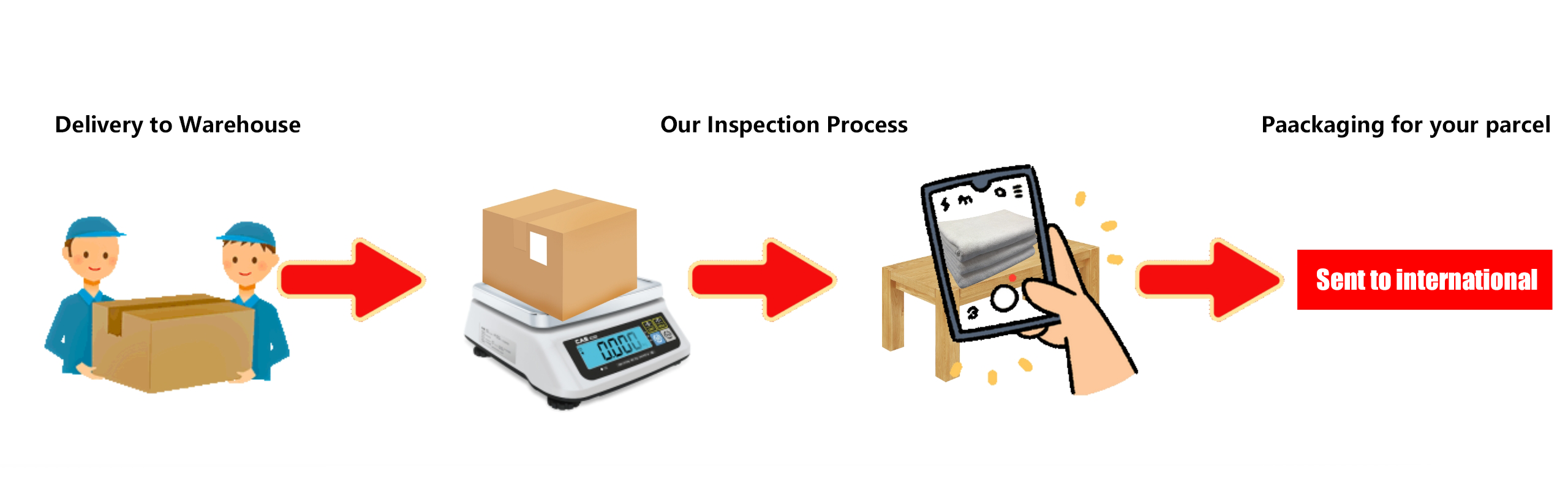
Kakobuy is a shopping agent. Chinese marketplaces such as Taobao, Tmall, 1688, JD and Weidian mostly sell to buyers inside China, with Chinese payment methods and domestic delivery. An agent places the order on your behalf, takes delivery at its warehouse in China, photographs what arrived and sends it abroad when you ask.
Kakobuy's contact page names two companies: EVERYDAY GO INC, with a Denver address, and ANXIN SHOPPING CO., LTD, a UK company with company number 16947583. Help articles on seller dispatch and international transit place the warehouse in Xiamen; the full street address only appears after you log in. The contact page lists live chat from 9am to 6:30pm Monday to Friday, UK time, a Discord server and the address [email protected]. The site footer reads 2022 to 2026.
How to use Kakobuy: the official eight-step sequence
Steps and image order checked against the official guide on 15 October 2026. The screenshots are older interface examples: amounts, coupons, routes and account values are not current quotations.
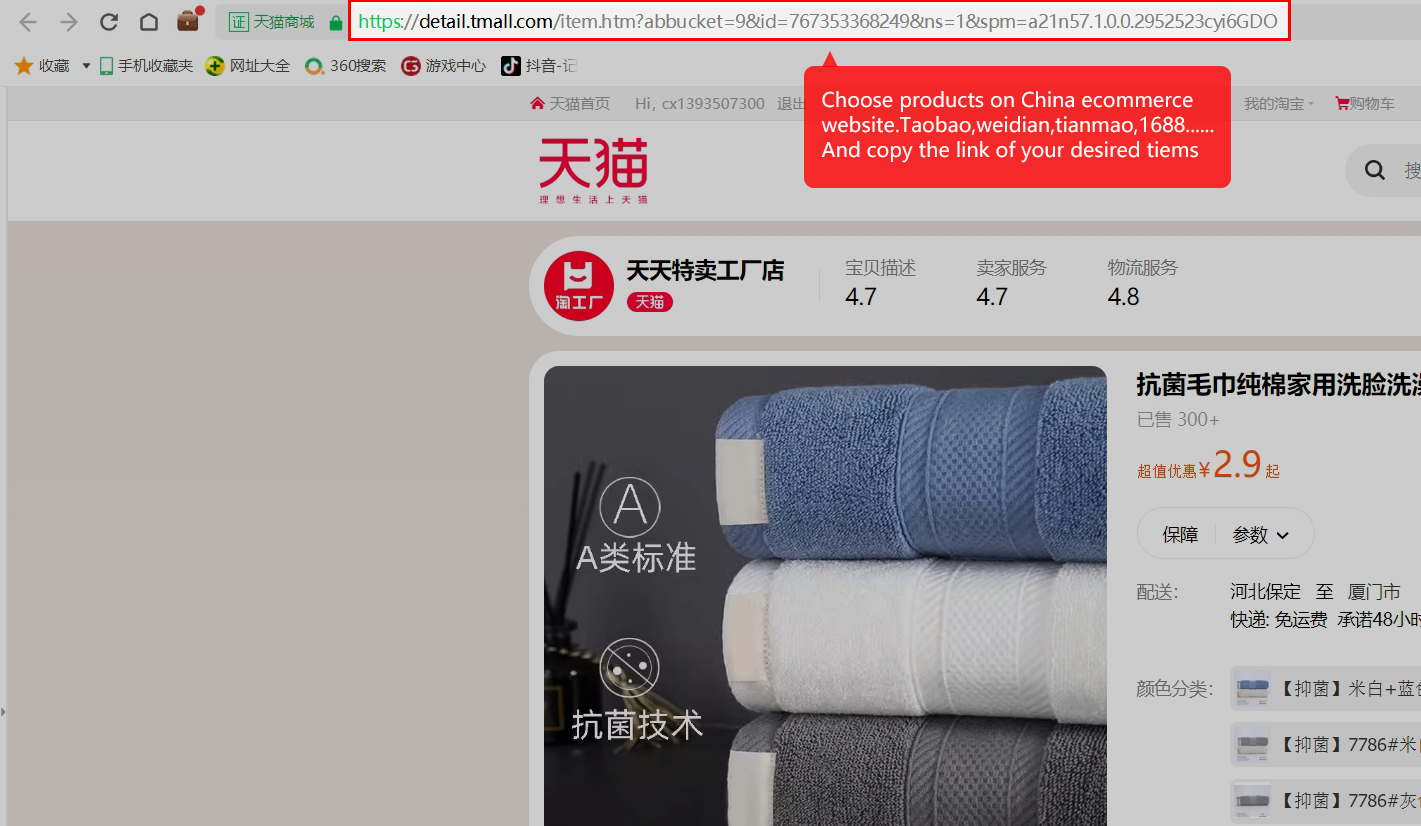
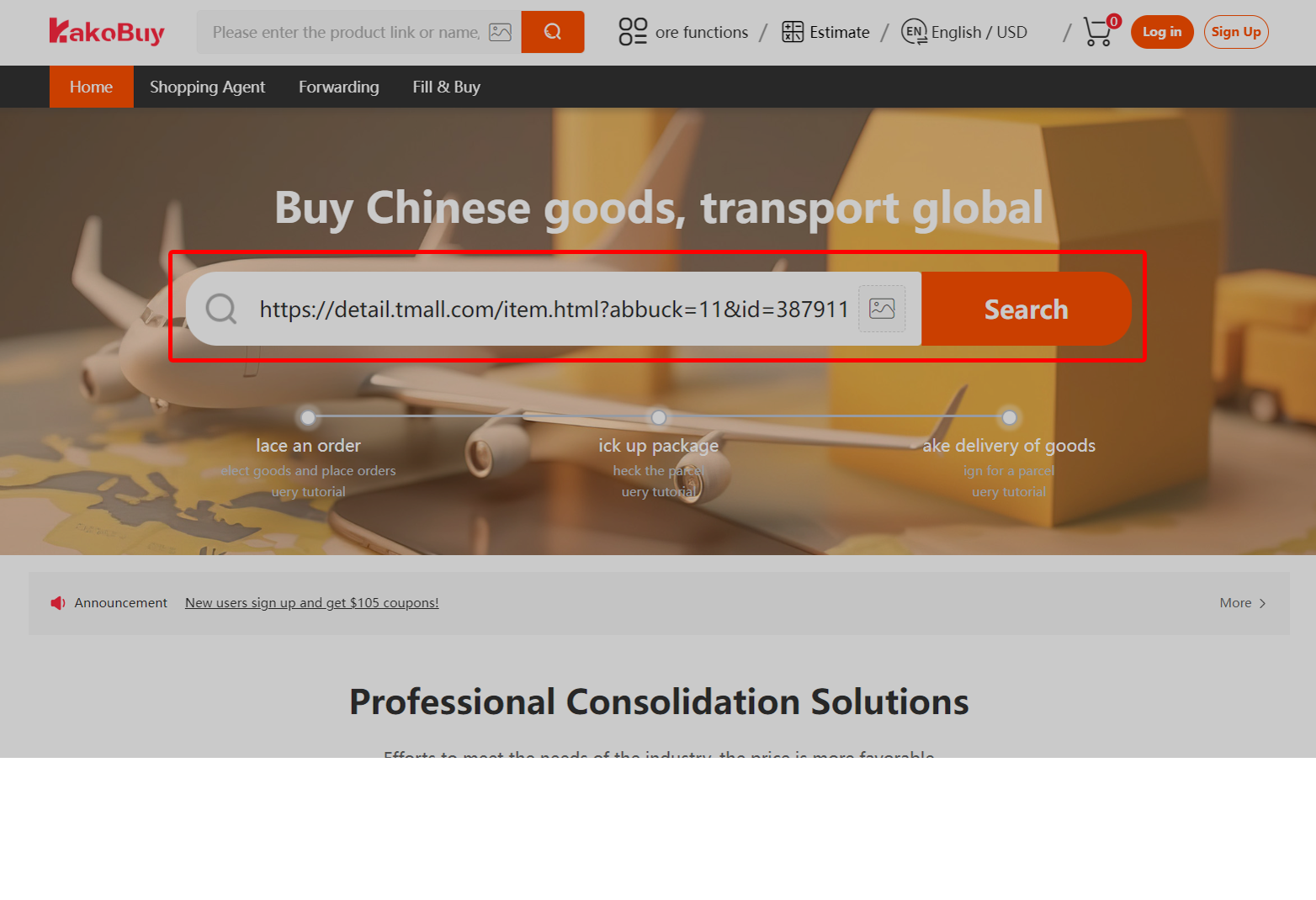
Find the product
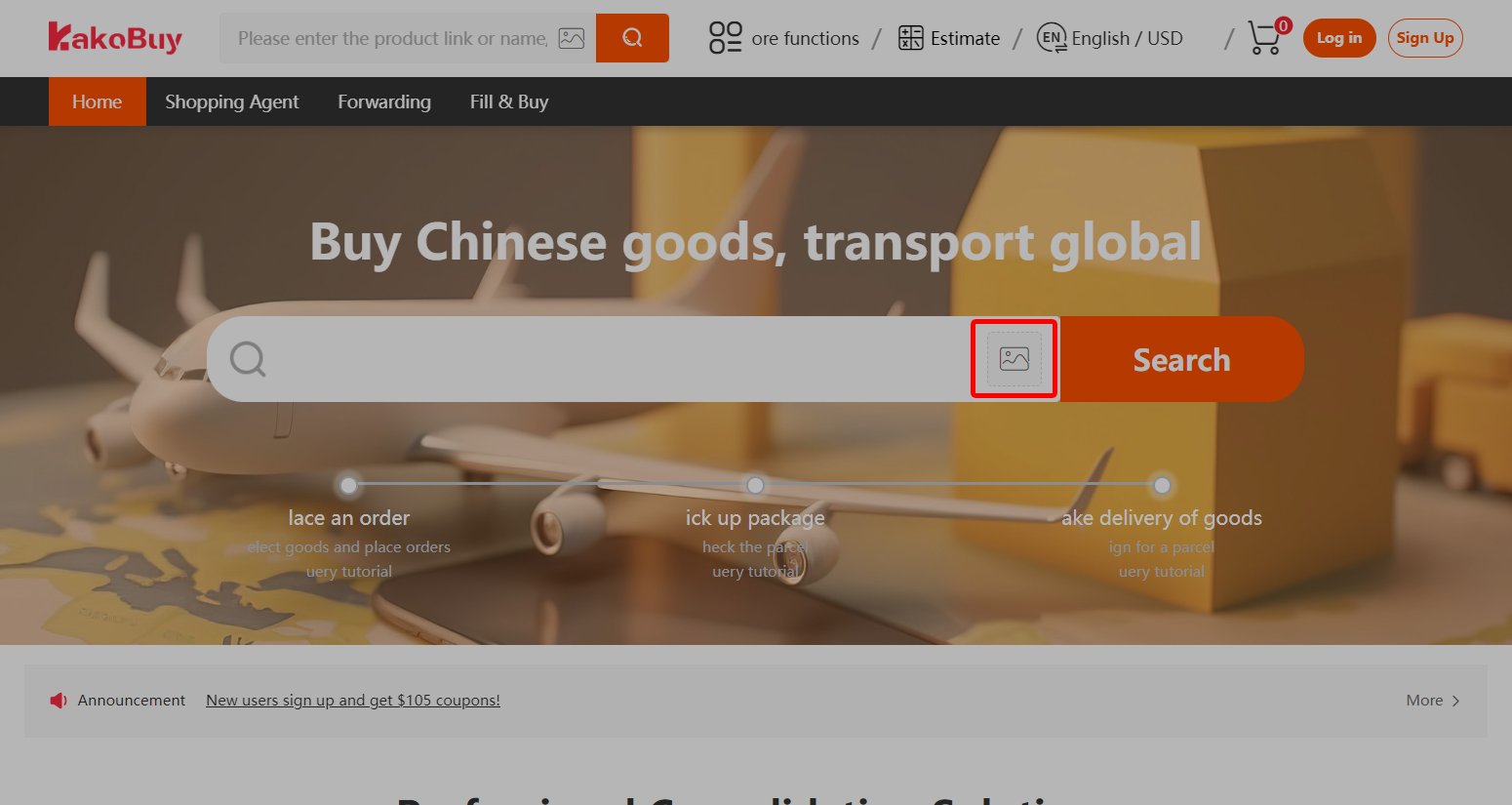
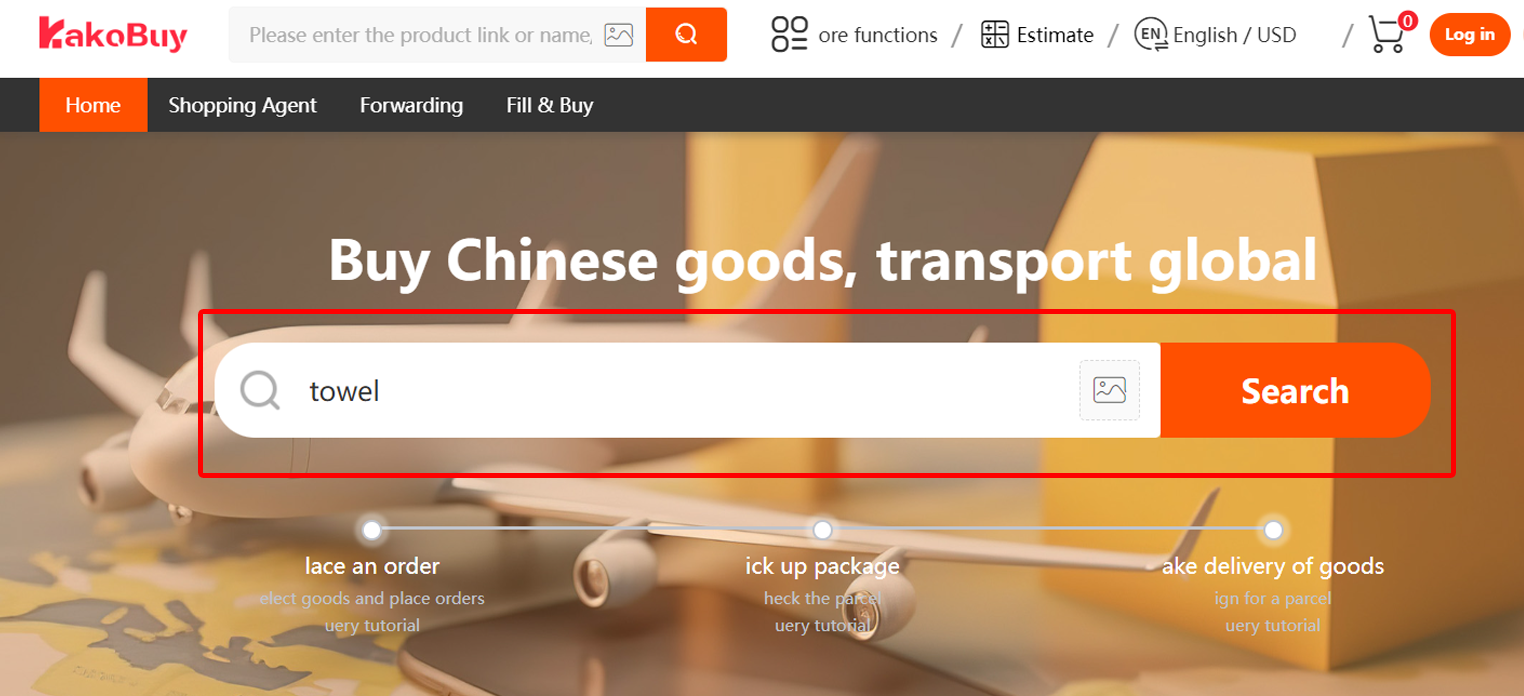
Choose a product using a seller URL, image search or keyword search. Save the source listing and the variant you intend to request. The screenshots follow the official page’s order.
Submit the purchase request
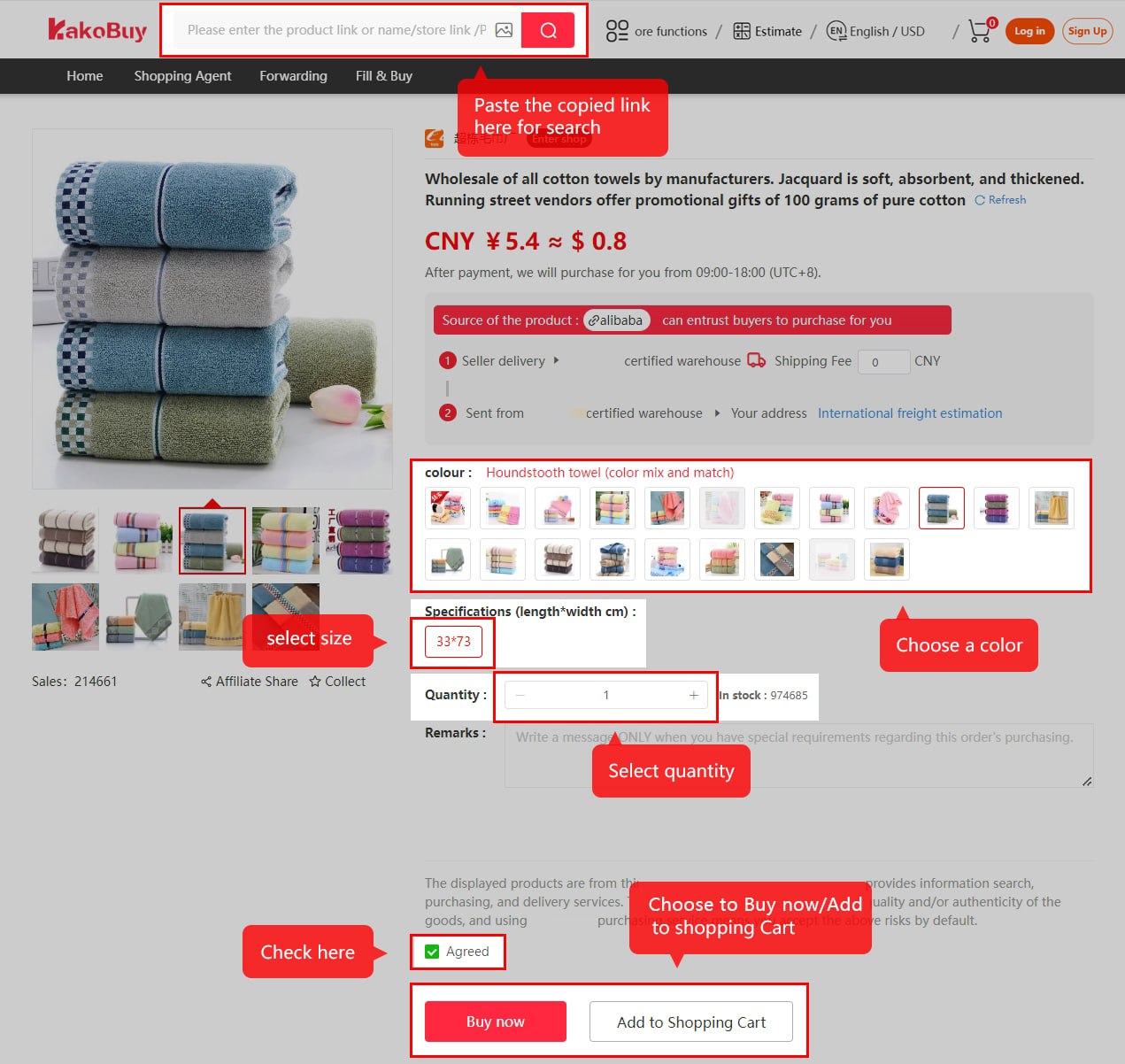
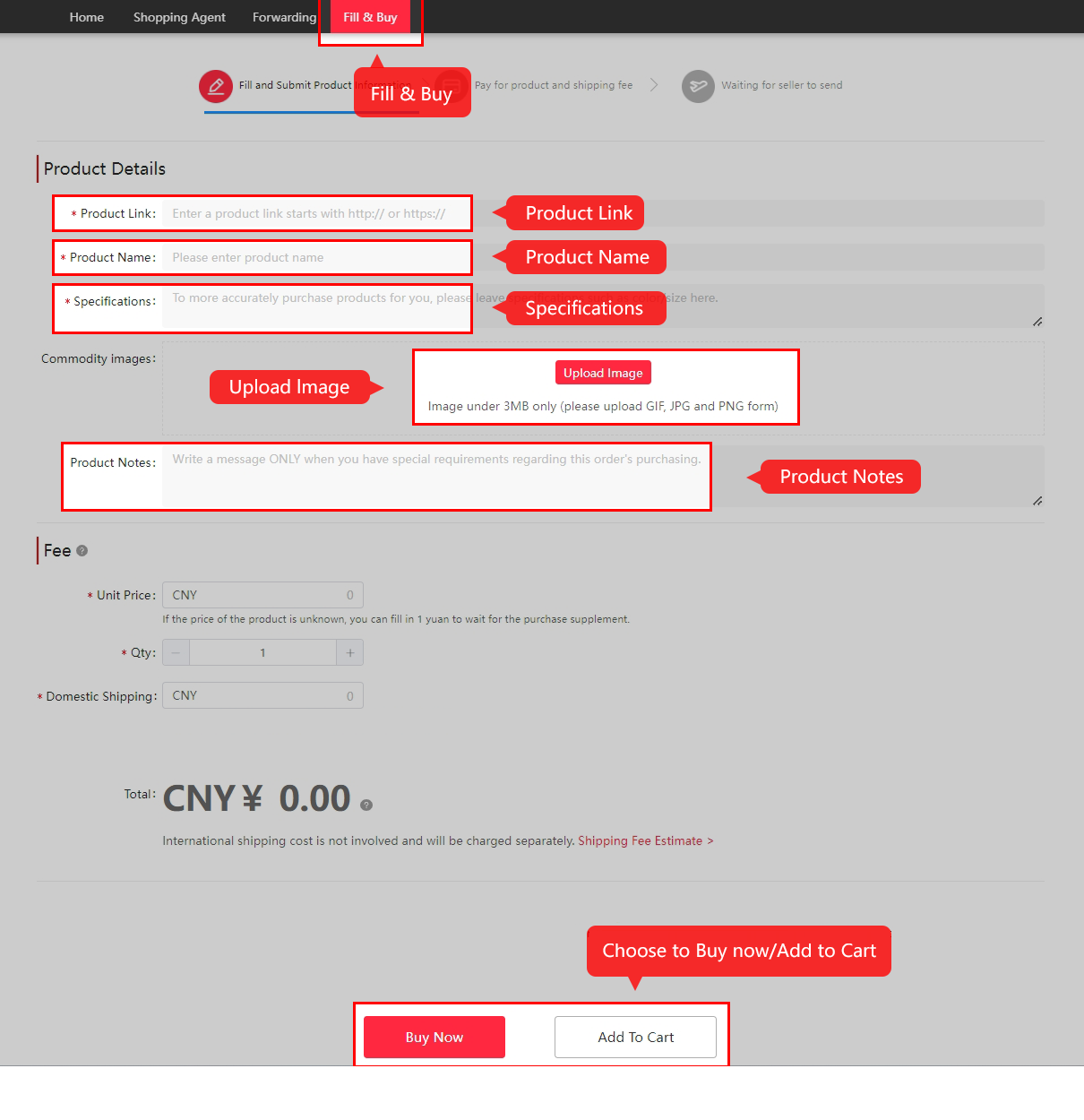
Match each option to the seller’s size chart and current stock. Add a precise remark when a detail matters. For a manual order, check the service and return conditions before proceeding.
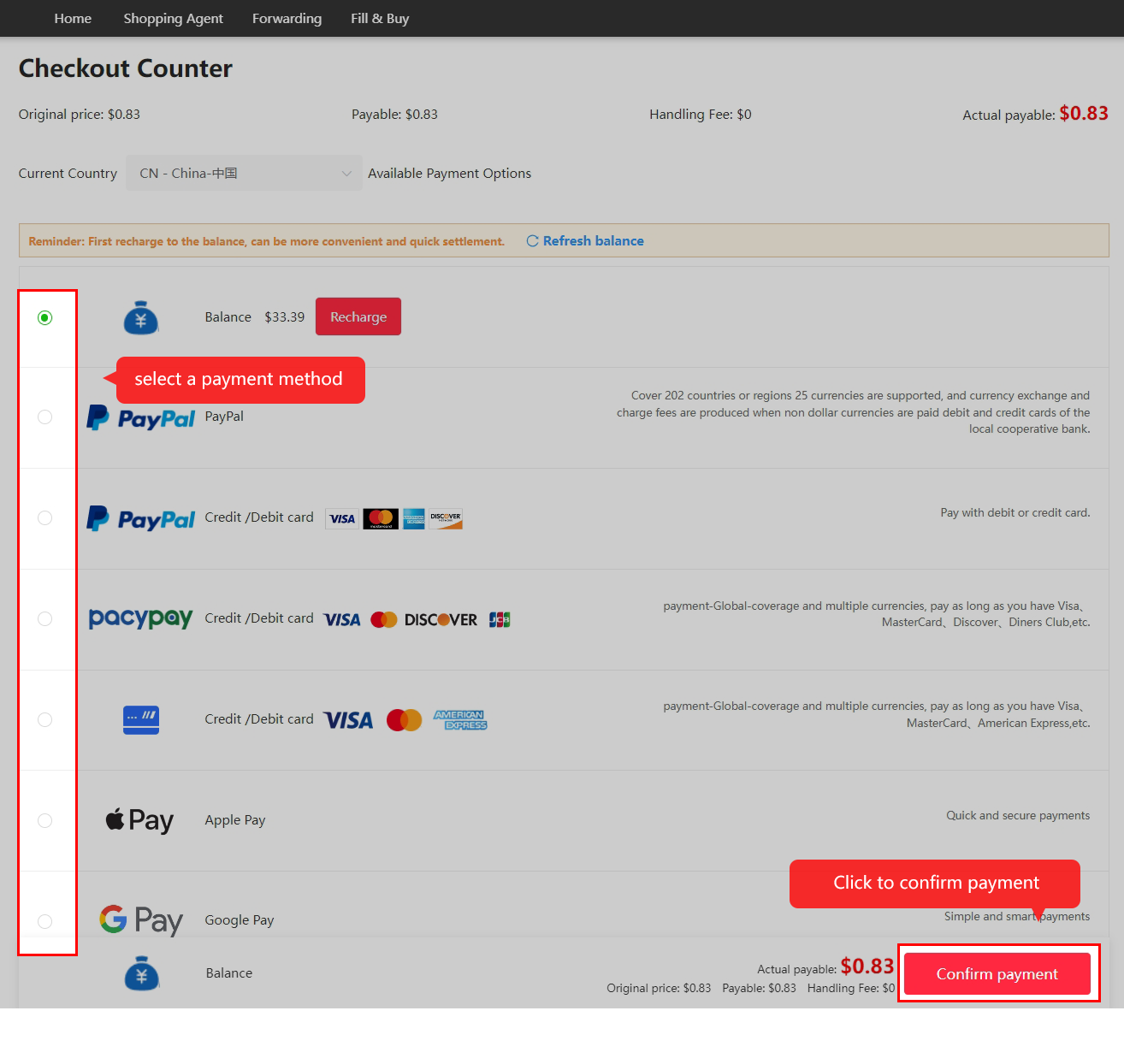
Pay for goods and domestic delivery
Check the item subtotal, domestic delivery, currency conversion and payment charge. The displayed balance and payable amount are more useful than a headline percentage.
Wait for purchase and seller delivery
Kakobuy reviews the request and orders from the seller. Watch for questions about stock, a price change or a shipping shortfall. Resolve them through the order message channel.

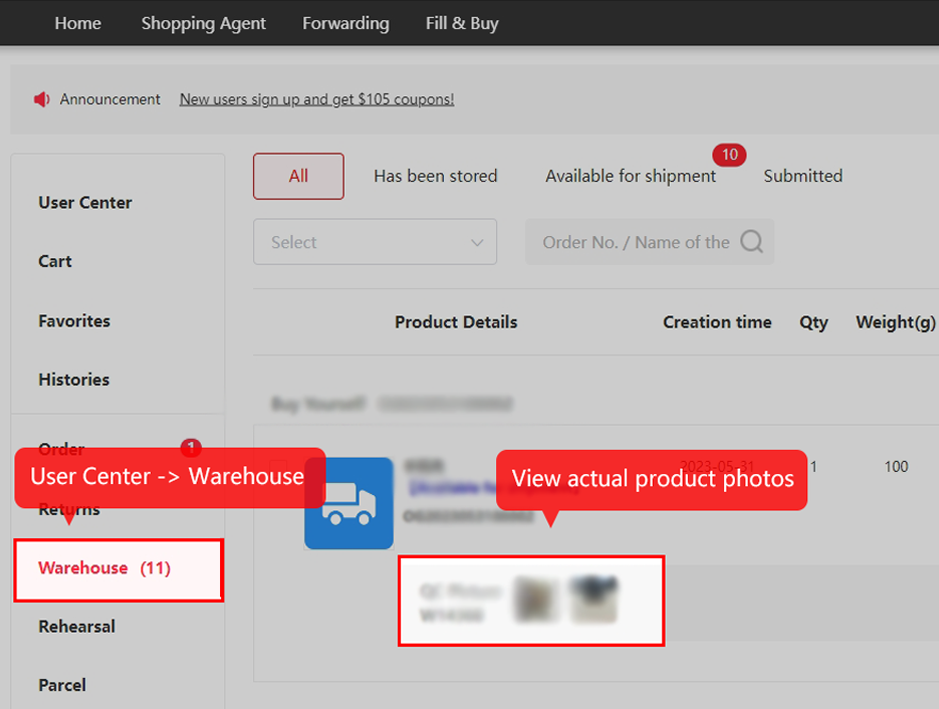
Inspect the warehouse evidence
Check colour, size labels, visible condition and included accessories. Ask for a specific measurement or detail photo when the standard view leaves a material question unanswered. Check the item’s return eligibility promptly.
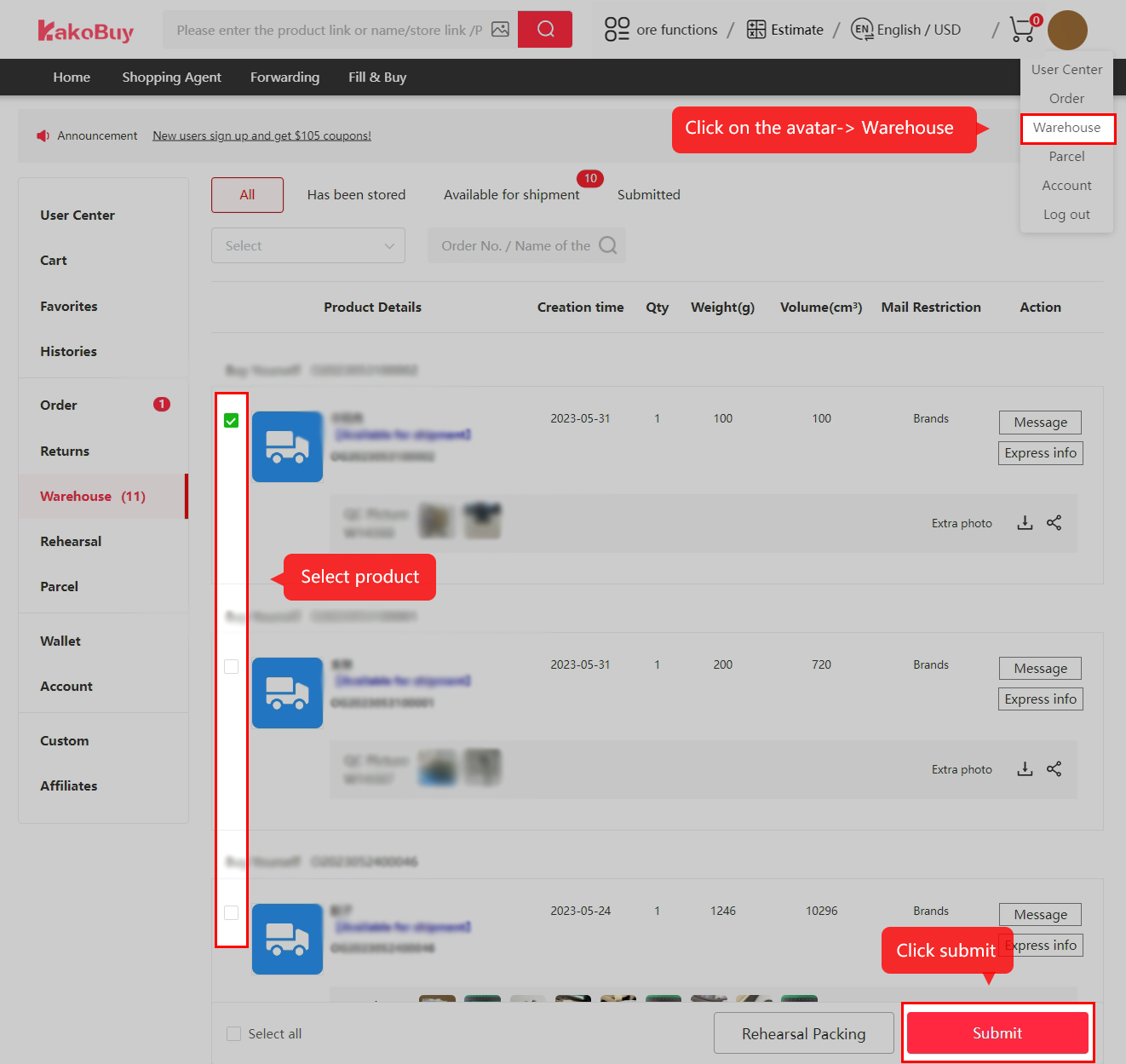
Submit and pay for the overseas parcel
Compare one parcel and separate shipments when restrictions or size could change the result. Choose a suitable line first, then compare price. Net item weight is not necessarily the packed chargeable weight.
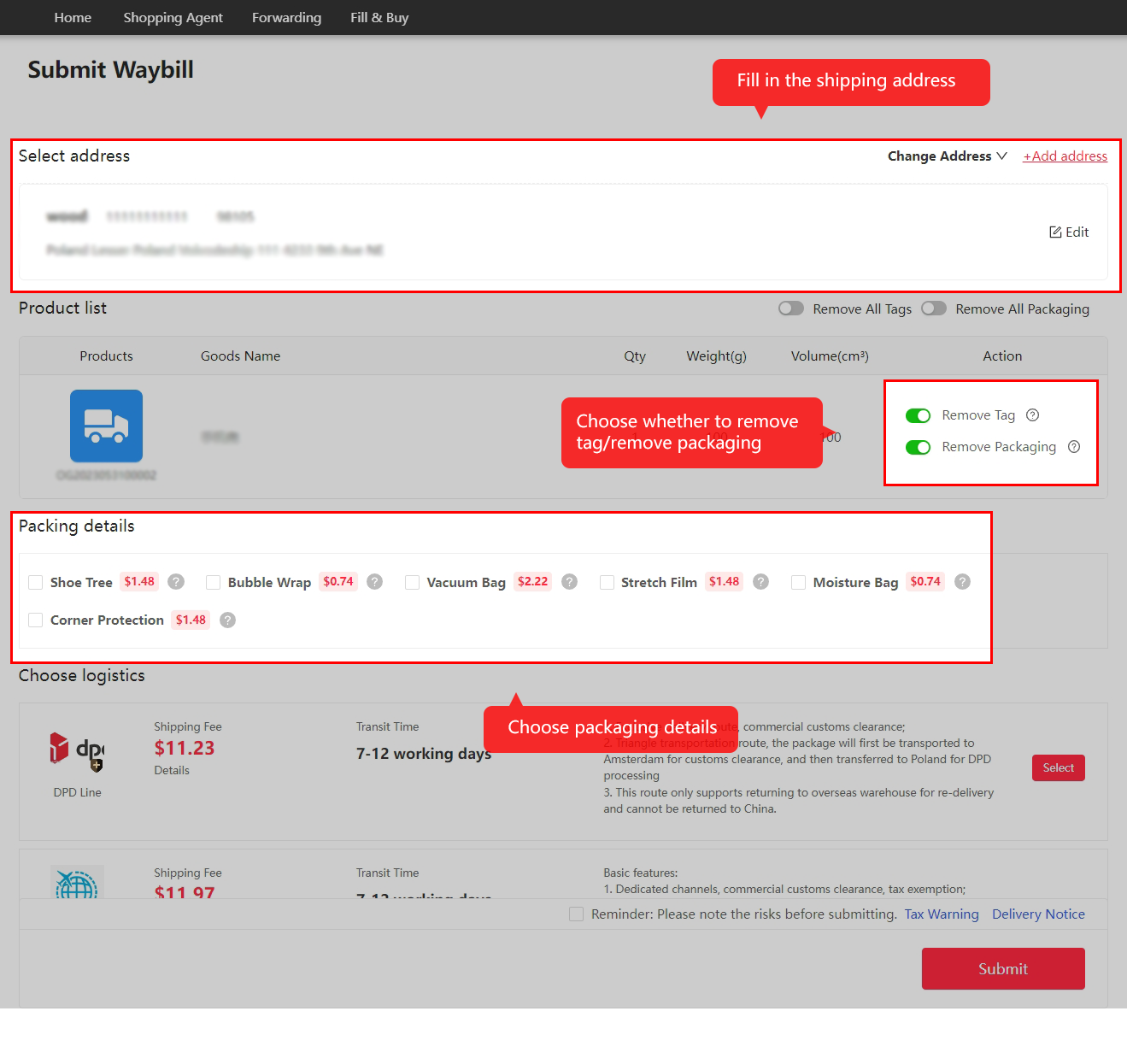
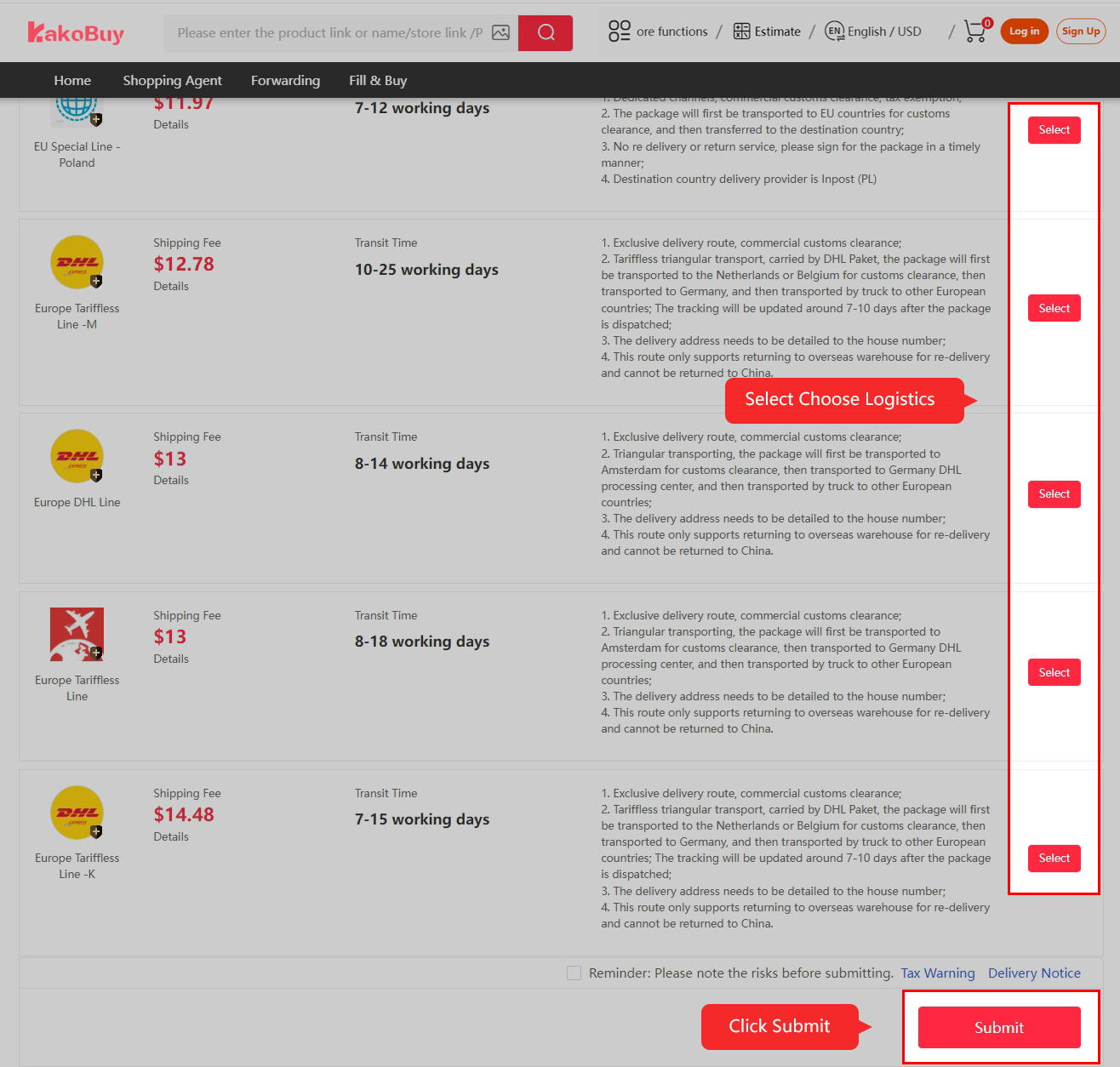
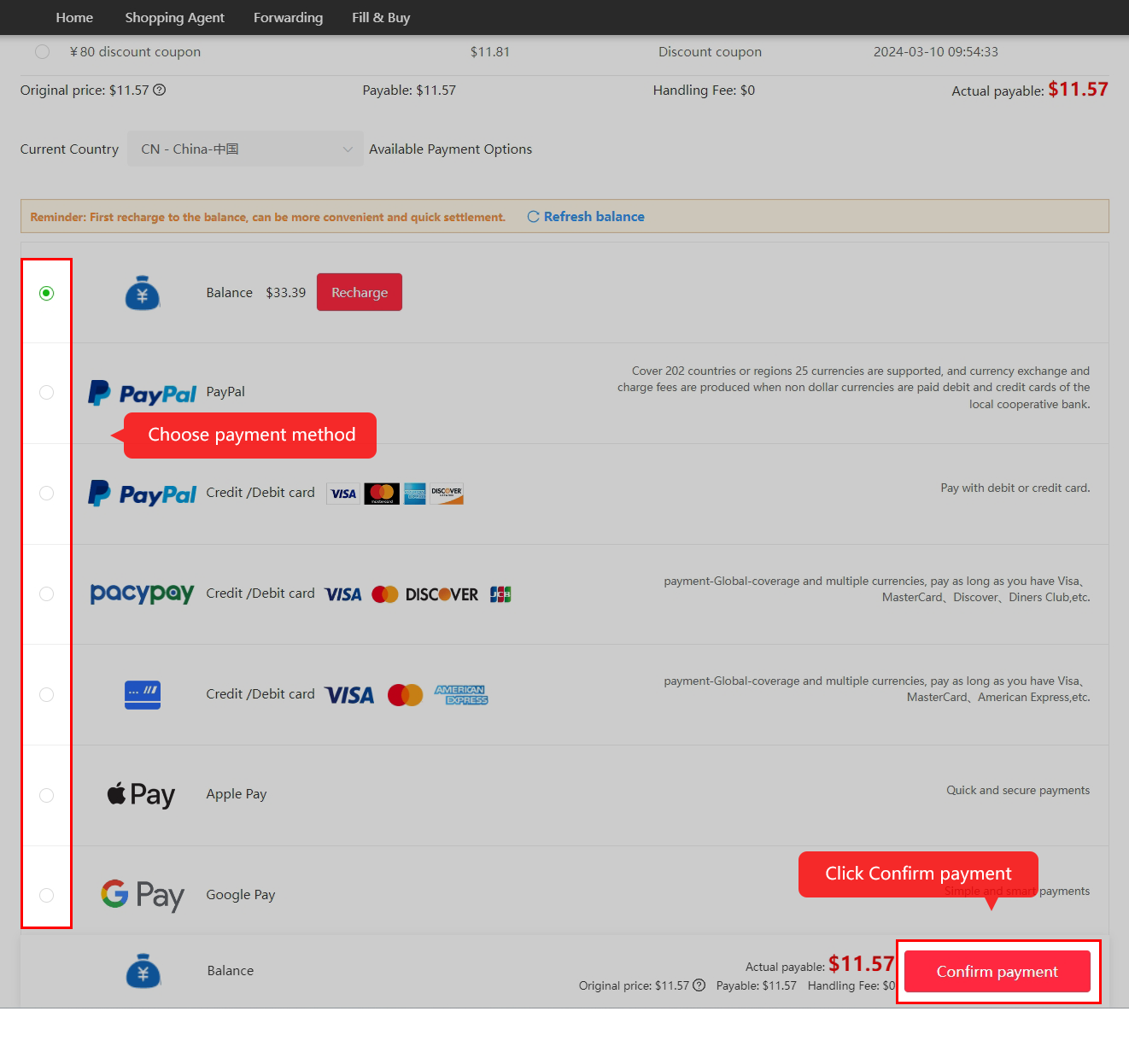
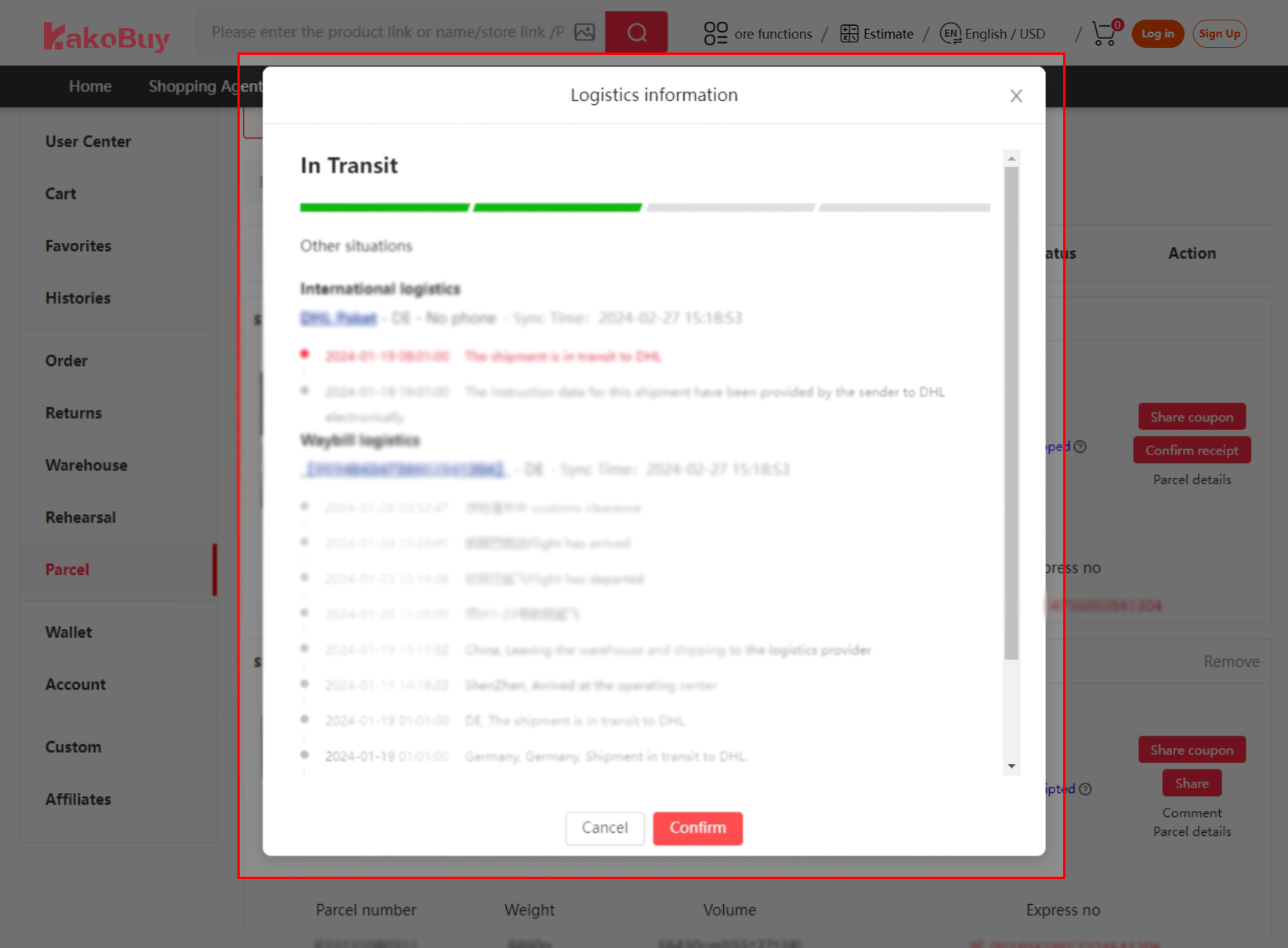
Follow outbound shipment and tracking
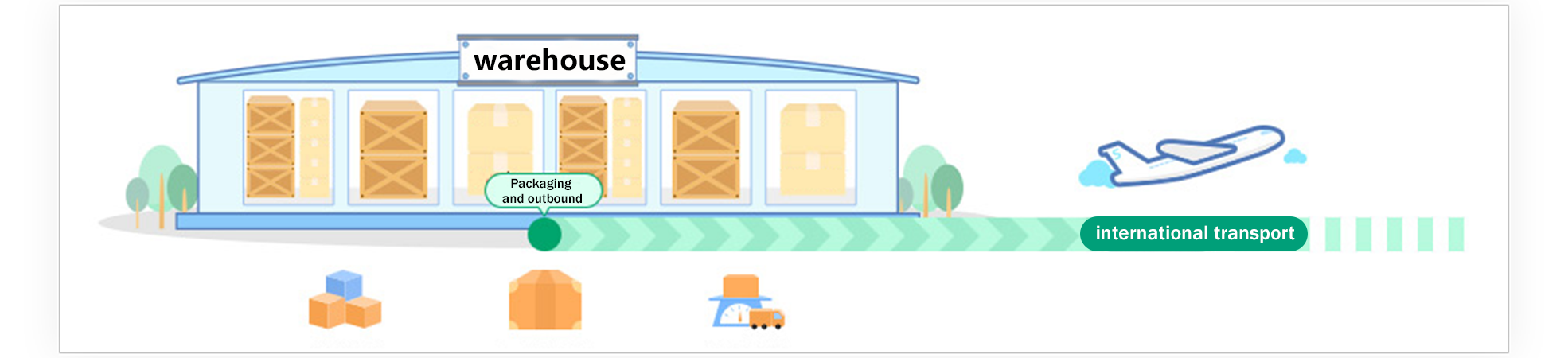
The warehouse packages and dispatches the shipment. Keep the parcel number and follow the actual status. If something needs investigation, give support the parcel ID, last scan and dates.
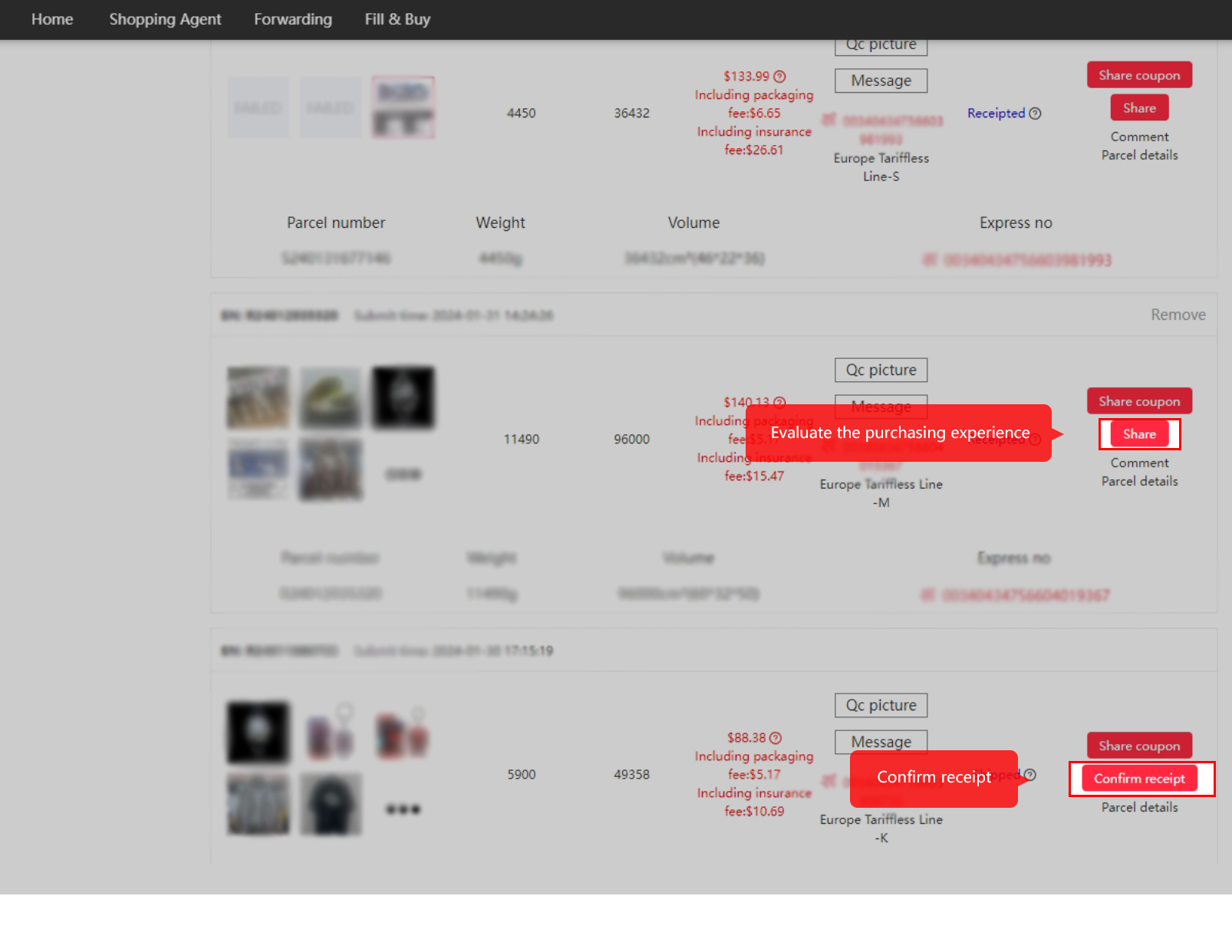
Inspect delivery and confirm receipt
Inspect the outer package and contents, compare them with the order and keep useful photos if there is damage or something missing. Confirm receipt once you have checked the delivery.
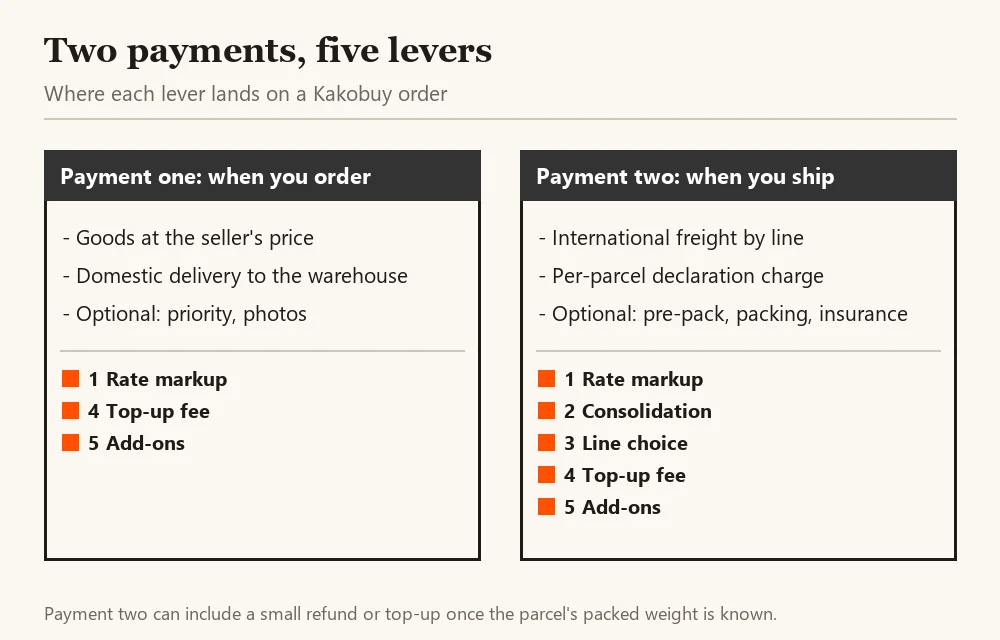
The two payments, and where each lever sits
Every Kakobuy order is paid in two parts, often weeks apart. The first covers the goods and the seller's domestic delivery. The second, after the items are in the warehouse, covers international freight and anything you add to the parcel.
The rate markup and the top-up channel touch both payments. Consolidation and line choice only exist at the second. That is why the order you pay for goods matters less than you might think, and the moment you submit the parcel matters more: three of the five levers are decided on one screen.
There is a small third movement. Freight is first charged on the goods' recorded weight, then the warehouse packs the parcel and settles any difference against your balance. The captured tutorial describes a 24-hour handling target; follow the current status.
Why Kakobuy, and when to use a different agent
Compare the services your own basket needs: source-platform support, visual inspection, return handling, storage and suitable shipping. A familiar feature name does not establish identical scope across agents.
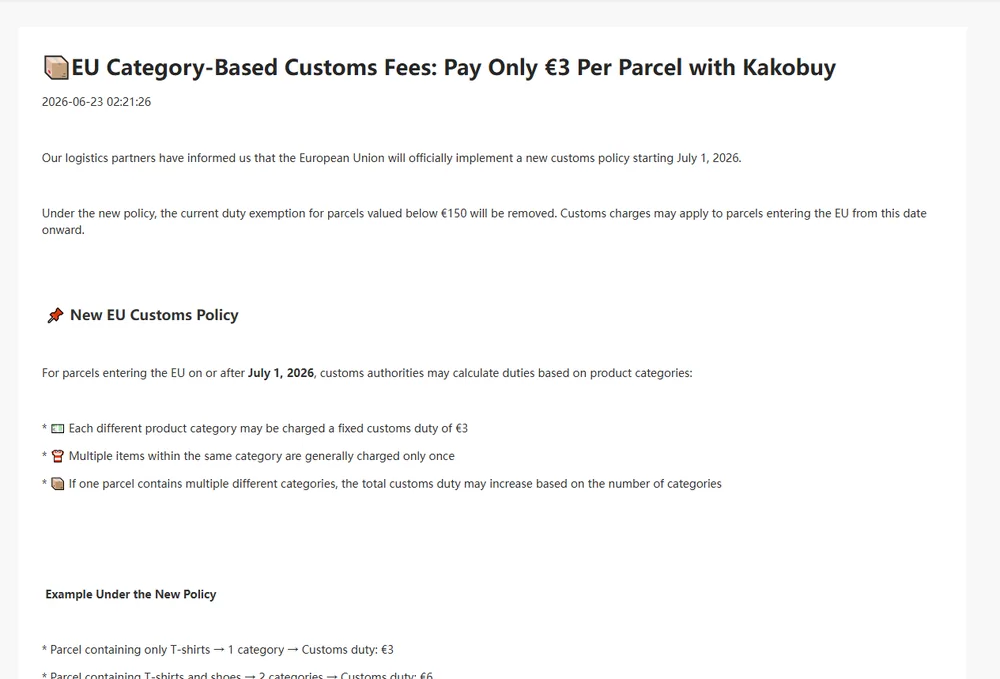
What is particular to Kakobuy, as of October 2026: the help centre gives 100 days of free storage; consolidation and inspection are listed as free; a dated EU notice describes a per-parcel customs arrangement that must be checked against the selected line’s current terms; the US estimator showed eleven bookable lines for 1 kg; and its measured rate markup sat below the median of the wider sample on the day it was measured.
When another agent may suit you better: if you need functional testing of electronics, which Kakobuy's inspection explicitly excludes; if your country's lines on the estimator look thin; or if, on the day you compare, another agent's rate and freight for your order come out lower. Run the comparison for your order, not ours.
Why this Kakobuy Spreadsheet guide is built around money
There are many Kakobuy guides that list categories, explain QC photos and walk through a first order. We cover those too, but this guide exists for one question most of them skip: of all the choices on an order, which ones move the most money.
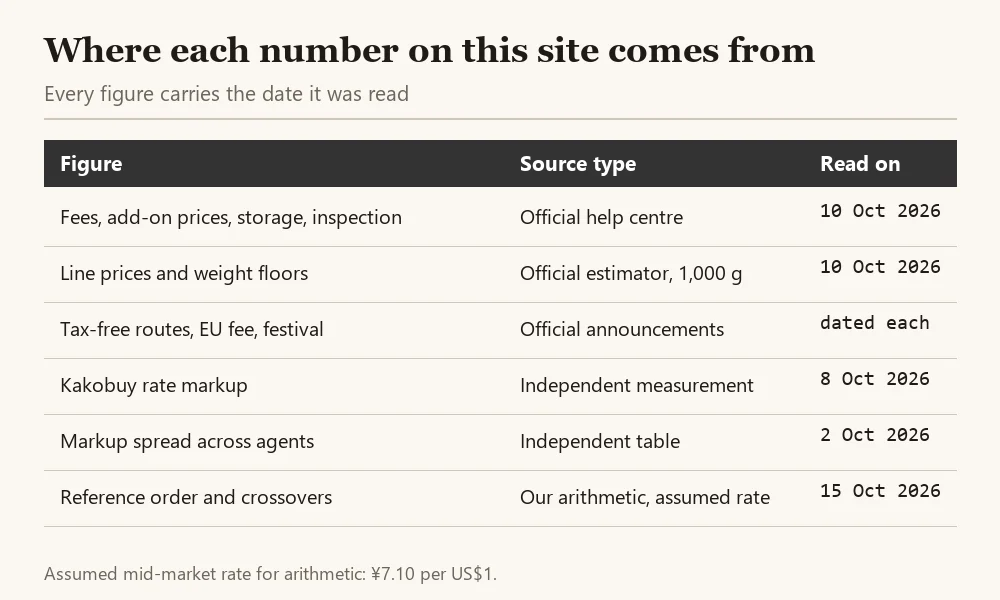
What we do differently is show the arithmetic. Every figure on these pages has a date and a type of source, every ranking comes with the order it was measured on, and the calculator lets you replace our assumptions with yours. The updates page records the local review dates. The examples are dated snapshots; current checkout and service terms must be checked before you pay.
Other agents you will also see
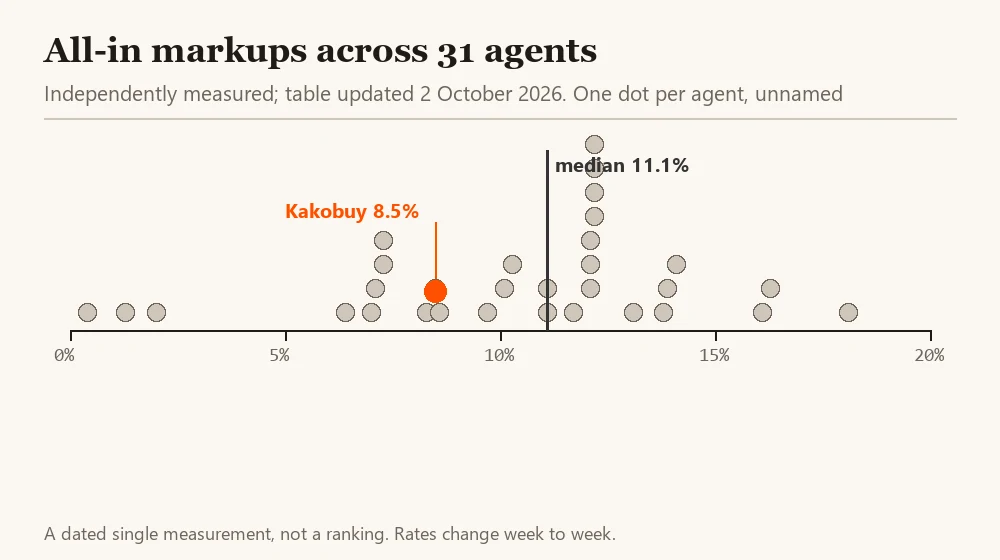
Kakobuy is one of several dozen agents doing the same job. A measurement table updated on 2 October 2026 covered 31 of them that published enough data to compare; their all-in markups ran from 0.4% to 18.1%, with Kakobuy at 8.5% on 8 October 2026.
We deliberately leave the others unnamed here. This is a Kakobuy guide, and a list of names with one number each would read like a ranking, which a single day's measurement cannot support. If you compare agents, compare the same order on the same day: goods total, packed weight, destination and line.